

Free Glowforge Files – SVG & DXF Laser Cut Designs
Download free SVG and DXF files for your Glowforge laser cutter. SVG files upload directly to app.glowforge.com and are ready to cut — DXF files need a quick SVG conversion first (see below). No registration required. Free for commercial use.
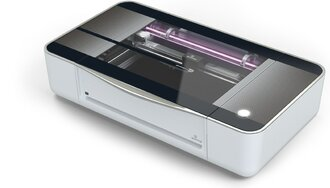
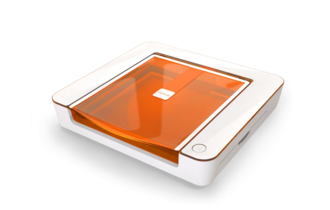
Machines these files work with
Some links on this page are affiliate links. If you buy through them, we may earn a commission at no extra cost to you. It does not influence which machines we list — the files on this site stay free either way.
- GlowforgeView
Closed-ecosystem CO2 machines with the simplest setup.

Hand Holding Coffee Cup Line Art

Hands Phone Heart Balloons Line Art

Hanging Paper Planes Mobile Line Art

Happiness Is Homemade Sign

Happy Big Smile Egg Face Clipart

Happy Cartoon Delivery Truck Clipart

Happy Easter Bunny Ears Egg Sign

Happy Easter Day Filigree Egg Sign

Happy Easter Day Solid Egg Sign

Happy Easter Egg With Bow Sign

Happy Easter Script Lettering Sign

Happy Fathers Day Banner Frame Sign

Happy Fathers Day Calligraphy Mustache Sign

Happy Fathers Day Oval Sign

Happy New Year Script Lettering

Happy Valentines Day Heart Sign

Have A Very Merry Christmas Sign

Heart Butterflies Flourish Wall Art

Heart Butterfly Daisy Wall Art

Heart Gift Boxes One Line Art

Hearts Floral Round Mandala Design 3

Hearts Pattern Rabbit Stencil Wall Art

Hello Spring Flowers Sign

High Quality BBQ Sign
More free laser files
Glowforge file compatibility: SVG vs. DXF, Proofgrade vs. custom settings
Glowforge only imports SVG, PDF, PNG, and JPG
The Glowforge app (app.glowforge.com) does not accept DXF files directly — DXF isn't one of its supported import formats. If you download a DXF file from this site for a Glowforge, open it in a free vector editor like Inkscape and use File → Save As → Plain SVG (or Illustrator's Export As → SVG) before uploading. Any SVG file on this site can be uploaded to the Glowforge app as-is.
Proofgrade materials vs. everything else
Glowforge's own Proofgrade materials have a QR-coded backing sticker that the machine's camera reads automatically, loading a pre-calibrated speed, power, and focus setting for that exact material and thickness. Any other material — plywood, acrylic, or leather bought elsewhere, including material cut with the free designs on this site — is "non-Proofgrade": you enter your own speed/power/focus settings manually in the app's material step, and Glowforge doesn't guarantee the cut since it hasn't calibrated for that specific batch. Treat any settings you find (including the starting-point table on our free laser cut files hub) as a starting point for a test cut, not a guarantee.
Glowforge File FAQ
What file formats work with Glowforge?
Glowforge supports SVG, PDF, PNG, and JPG. SVG is the recommended format — it supports both cut lines and engraving in one file. All SVG files here are Glowforge-ready.
How do I upload a file to Glowforge?
Download the SVG file, open app.glowforge.com, click “+” to create a new design, and upload your file. It will appear ready to cut or engrave immediately.
Are these files free for commercial use?
Yes. All files on FreeLaserFile are free for both personal and commercial use. No attribution required.