

Free xTool Files – SVG & DXF Laser Cut Designs
Download free SVG and DXF files for xTool D1, xTool M1, xTool P2, xTool S1, and all xTool laser machines. Compatible with xTool Creative Space and LightBurn. No registration required. Free for commercial use.

Three Panel Triptych Abstract Overlapping Curved Lines Wall Art

Symmetrical Haunted Mansion Gothic Estate Spooky Bare Trees Silhouette

Spooky Haunted Mansion Castle Bats Gnarled Tree Silhouette

Spooky Haunted House Witch Castle Bats Windswept Trees Silhouette

Spooky Haunted House Flying Bats Gnarled Tree Silhouette
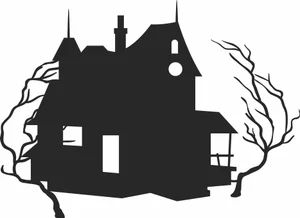
Spooky Haunted House Creepy Bare Trees Silhouette

Spooky Haunted Castle Mansion Creepy Trees Bat Silhouette
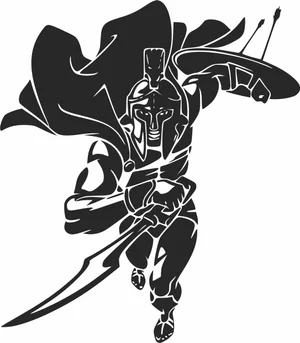
Spartan Warrior Charging With Sword Shield And Waving Cape

Soccer Ball Crashing Through Cracked Wall Graphic

Sea Turtles Underwater Coral Reef Scene Graphic

Santa Claus Village Winter Christmas Snowflakes Forest Silhouette

Rustic American Farm Windmill Steel Water Pumping Tower Silhouette

Penguins On Ice Iceberg Arctic Mountain Wildlife Scene

Old Haunted House Tower Balcony Spooky Bare Trees Silhouette

Notre Dame de Paris Gothic Cathedral Architecture Silhouette

Modern Wind Turbine Renewable Energy Eco Silhouette

Michael Jackson Dancing On Toe Shoes Pose Silhouette

Majestic Red Deer Stag Full Body Large Antlers Vector
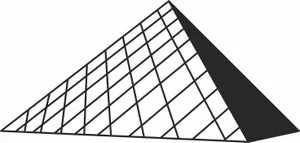
Louvre Pyramid Paris Museum Architecture Silhouette

Kneeling Hunter Aiming Shotgun Rifle Retro Illustration

Ice Skate Boot With Laces And Star Pattern Illustration
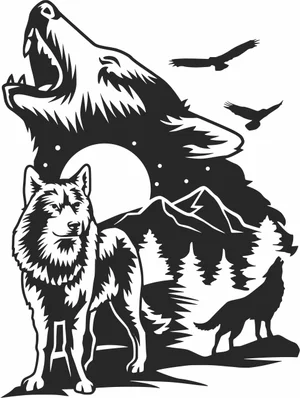
Howling Wolves Full Moon Mountain Forest Wilderness Scene

Grizzly Bear Mountain Forest Landscape Frame Scene

Giant Panda Mother Cub Bamboo Forest Nature Scene
More free laser files
xTool software: Creative Space vs. LightBurn
Camera preview, autofocus, and framing are xTool-software-only
xTool's own software — xTool Creative Space, and its 2026 successor xTool Studio — is the only option that reads your machine's built-in camera to preview material placement, auto-focuses the laser, and frames a job before cutting. LightBurn doesn't support those features on xTool hardware: you measure your material and position your design manually instead. If you rely on camera placement for engraving onto irregular objects, stick with xTool's own app.
LightBurn wins for multi-brand shops and heavier vector editing
LightBurn is third-party software that runs xTool machines — including the D1, M1, P2, and S1, plus accessories like the RA2 Pro rotary — alongside diode, CO2, and fiber lasers from other brands, which helps if your shop isn't all-xTool. It also has deeper vector-editing tools, including image tracing, that xTool's software doesn't match. The tradeoff is a one-time paid license instead of a free app.
Creative Space is being retired in favor of xTool Studio
xTool Creative Space stopped receiving updates after version 2.7 in June 2025. xTool Studio is now the actively developed app, and any xTool machine released since August 2025 works only with Studio, not the legacy Creative Space. SVG and DXF files from this site import the same way into either version.
xTool File FAQ
What file formats work with xTool?
xTool machines support SVG, DXF, PNG, JPG, and BMP via xTool Creative Space. SVG and DXF are best for cutting. All files here are xTool-compatible.
Do these files work with xTool Creative Space?
Yes. Import SVG or DXF directly into xTool Creative Space. Works with xTool D1, M1, P2, S1.
Can I use LightBurn with these files on xTool?
Yes. All DXF and SVG files are fully compatible with LightBurn, which works with all xTool machines.
Are the files free for commercial use?
Yes. All files are free for personal and commercial use. No attribution required.